Before you can get your CRID, you must first create a Business Customer Gateway account and log in to your account page.
- Open a web browser. Navigate to the USPS Business Customer Gateway site and log in.
- Click the Manage Account tab. The Manage Profile screen displays.
- The Home Business Location section of the Manage Profile screen includes the CRID for the home business location. If you are using the CRID for your home business location, make note of this CRID.

- If you have additional CRIDs and need a CRID associated with a business location other than the home business location, click the Manage Locations tab.
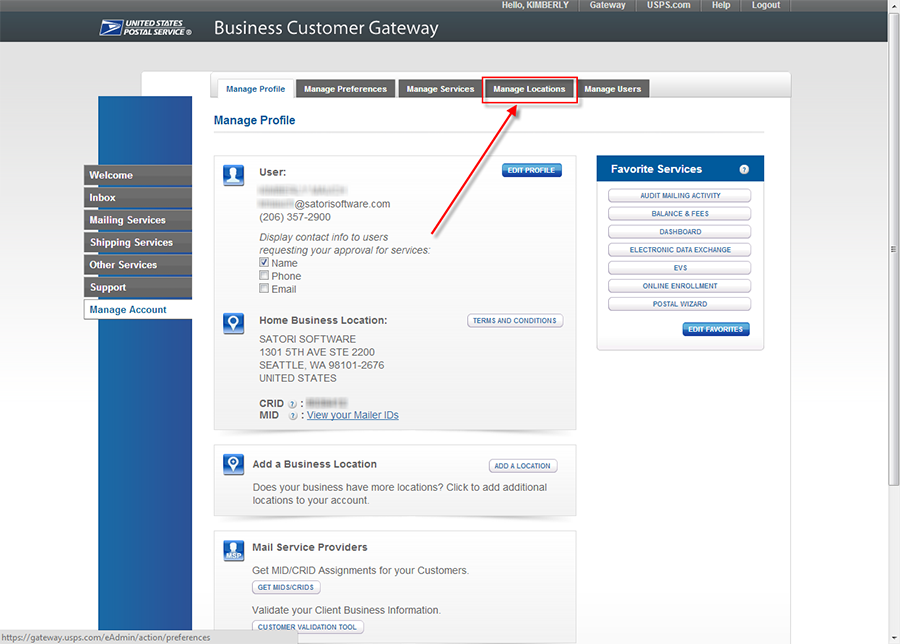
-
The Manage Locations screen displays. A list of locations on your account displays, including a column with the CRID for each location. Locate the business location you need, and make note of the CRID for that location.
